 Finance Simulator
✍️ The story behind Finance Simulator
I built the tool my spreadsheet couldn't be.
A decade of personal finance planning led to a battle-tested spreadsheet. 15 years of UX background turned it into a web tool.
Here to teach with it, write about it or check the sources?
The clarity gap
For a decade, I tried mapping out my financial future across salary, taxes, savings, and retirement. Every tool I tried fell into two extremes: childishly simple or overwhelmingly complex. There was no middle ground for genuine clarity.
Six years, one spreadsheet
Six years ago, I built a custom spreadsheet to bridge the gap. It grew into a battle-tested model handling home equity, tax refunds, salary projections, and retirement bridges. It was accurate and effective, but let's be honest: it was clunky, fragile, and ugly.
Not financial advice, just personal math. I'm a product designer, not a certified financial planner, accountant, or tax professional. This tool is an educational simulator built using public Canadian tax rules to help visualize scenarios. All outputs are estimates for informational purposes only. Always consult a qualified professional before making real-world financial decisions.
From spreadsheet to software
I've spent 15 years designing digital products for a living. Eventually, I decided to solve my own problem: I took my spreadsheet's logic, fixed its limitations, and turned it into a clean, intuitive web tool. All the accuracy, zero clunkiness. How I designed it is in the case study on my portfolio.
Built for clarity, not complexity
- Real-time scenario testing. Tweak savings rates, income, ROI, or retirement age to watch your overall trajectory update instantly.
- Built specifically for Canadians. Factored for CRA tax brackets, CPP, OAS, and provincial rules, updated against official published rates.
- FIRE & Coast FI tracking. Calculate early independence milestones directly alongside traditional retirement targets.
- Product-grade design. Mobile-first, built to be accessible, zero clutter, and intentionally effortless to use.
A few months in, I realized I hadn't opened my master spreadsheet once. I was spending a fraction of the time on my finances while gaining far more clarity. That was the exact moment I knew this was worth sharing.
Why it's 100% free
I'm sharing this tool for free to help other Canadians get a clear picture of their financial future. Because I built it for myself first, every design decision was made by someone who actually relies on it, not a product team optimizing for engagement or ad revenue.
Releasing it publicly also brings real-world feedback: what's confusing, what's missing, and what needs fixing. Major updates since launch, such as DB pension support, household mode and edge-case tax calculation fixes, have come directly from people using the tool and sharing their feedback.
Design, not decoration
15 years of product design experience shaped how effortlessly this feels to use, not just how it calculates.
Grounded in official math
Every rate is listed with its source on the sources page, and sample results were checked against an independent calculator to the dollar.
Battle-tested logic
Six years of building and refining my own model revealed where most finance calculators fall short.
Shaped by real users
Continuously improved through direct feedback from Canadians planning their own futures.
It is also listed in the Alberta Teachers’ Association library’s financial literacy guide and in LEARN Quebec’s financial education resources for teachers, and it takes part in Financial Literacy Month 2026. A listing means someone there chose to link it, not that they audited it, so here is each one, with the date I last checked it.
For teachers
Everything here is free for class, with no student accounts, and nothing a student types leaves their browser.
- Teach take-home pay in 15 minutes: a lesson plan with the exact words to say, run on a made-up person so nobody shares their own pay. Also as a PDF.
- Where it fits your course: curriculum links for Alberta, British Columbia, Manitoba, Ontario, Quebec and Saskatchewan, with the cards to start with.
- What to do with your money, in order: ten steps with a source for each, and a printable one-page handout.
When you share the planner with a class, add ?mode=community to the link. It hides the tip jar and the referral link.
No signups, no accounts. Your data stays on your device, your financial inputs are never sent to a server. There is an optional tip jar if you want to support future updates, but full access is 100% free for everyone.
For journalists
If you are writing about RRSP season, the figures below are free to quote with credit to Finance Simulator. Each one is printed, with its reasoning, on the RRSP refund calculator page, and each was checked against an independent calculator before it went up.
One tax rate gets the refund wrong
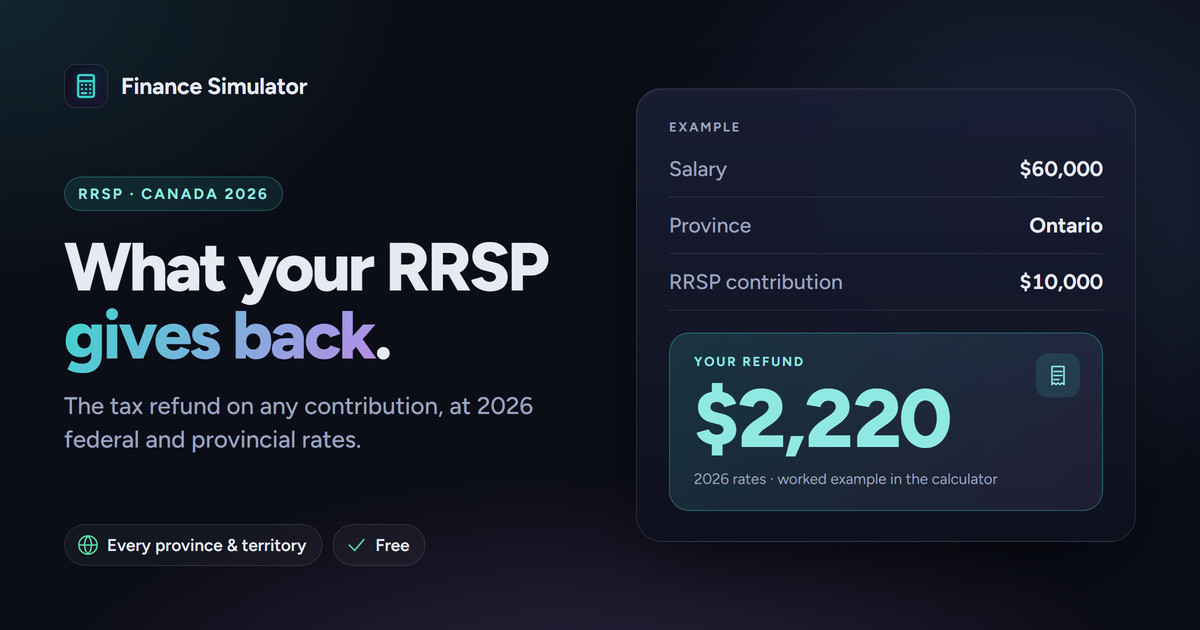
Ontario, $60,000 salary, $10,000 contribution. The usual shortcut multiplies by the 29.65% bracket rate and gets $2,965. The real tax saved is $2,220, because most of the contribution comes off at lower bracket rates. It can miss the other way too: Ontario's LIFT credit and Health Premium can make the real saving larger than the bracket rate suggests.
Earning $5,000 more can cut the saving by $350
In Ontario, $5,000 into an RRSP saves $1,353 in tax at a $50,000 salary but $1,003 at $55,000. At $50,000 the deduction also wins back $250 of Ontario's LIFT credit and drops income below a Health Premium step, worth $150.
Credit and reuse
Quote, chart or republish these figures and the CSV with credit to Finance Simulator and a link. No permission needed (see the license).
Source: Finance Simulator (finance.chriscoffin.design), RRSP tax savings, Ontario, 2026 tax year, calculated October 2026.
How the figures are calculated
- 2026 tax year. Contributions made by March 1, 2027 count toward it.
- A single filer with employment income only and no other deductions or credits.
- "Tax saved" is the drop in federal plus provincial income tax. The refund itself also depends on what the employer withheld.
- The Canada Workers Benefit is left out, so at the lowest salaries the real benefit of a contribution can be higher than shown.
- Every rate the engine uses, with its source, is on the sources and confidence page.
What is in the CSV
One row per salary, from $30,000 to $80,000 in $5,000 steps, for a $5,000 contribution. Amounts are in dollars.
- salary
- Yearly employment income.
- tax_saved_on_5000
- Total income tax saved: the four columns after it, give or take $1 of rounding.
- federal
- Federal tax saved.
- ontario_brackets
- Ontario bracket tax saved.
- lift_credit_change
- LIFT credit won back. Negative at $30,000, where Ontario tax is already so low that the deduction leaves part of the credit unused.
- health_premium_avoided
- Ontario Health Premium saved.
- cents_saved_per_dollar
- Tax saved per dollar contributed, in cents.
How they were checked
I ran the same cases through TaxTips.ca's 2026 tax calculator, which is built by an unrelated third party: the $60,000 example on October 20, 2026, and the $50,000 and $55,000 figures on October 22, 2026. They matched to the dollar. The figures stay on the 2026 tax year until the March 1, 2027 deadline. If one ever changes, this section will say what changed and when.
Who is behind it
Finance Simulator is built and run by one person: me, Chris Coffin, a product designer in Montreal. I am not a financial planner or tax professional. There are no ads and no sponsors. Some pages, including the simulator, show a Wealthsimple referral link, and there is an optional tip jar. Add ?mode=community to any link and both are hidden.
Contact
Email hello@chriscoffin.design with "Press" in the subject. I can run other salaries, contributions or provinces through the same engine for a story.
Estimate your net pay, build a custom scenario, and project your TFSA, RRSP, and FHSA growth in under two minutes.
100% Free · No signup required · Your numbers stay in your browser
This page is a personal account, not financial, tax, or legal advice. See the terms of use for what the tool's estimates are (and aren't) meant for.